· 3 min read
Try Tour du Pain without a trainer: the demo is open
On 7 November Tour du Pain opened a demo at tourdupain.app/demo. You ride without a trainer, without Bluetooth and without an account, on a computer, a phone or a tablet. A simulated trainer pedals for you, you set the watts, and the bunch rides along around the lake.
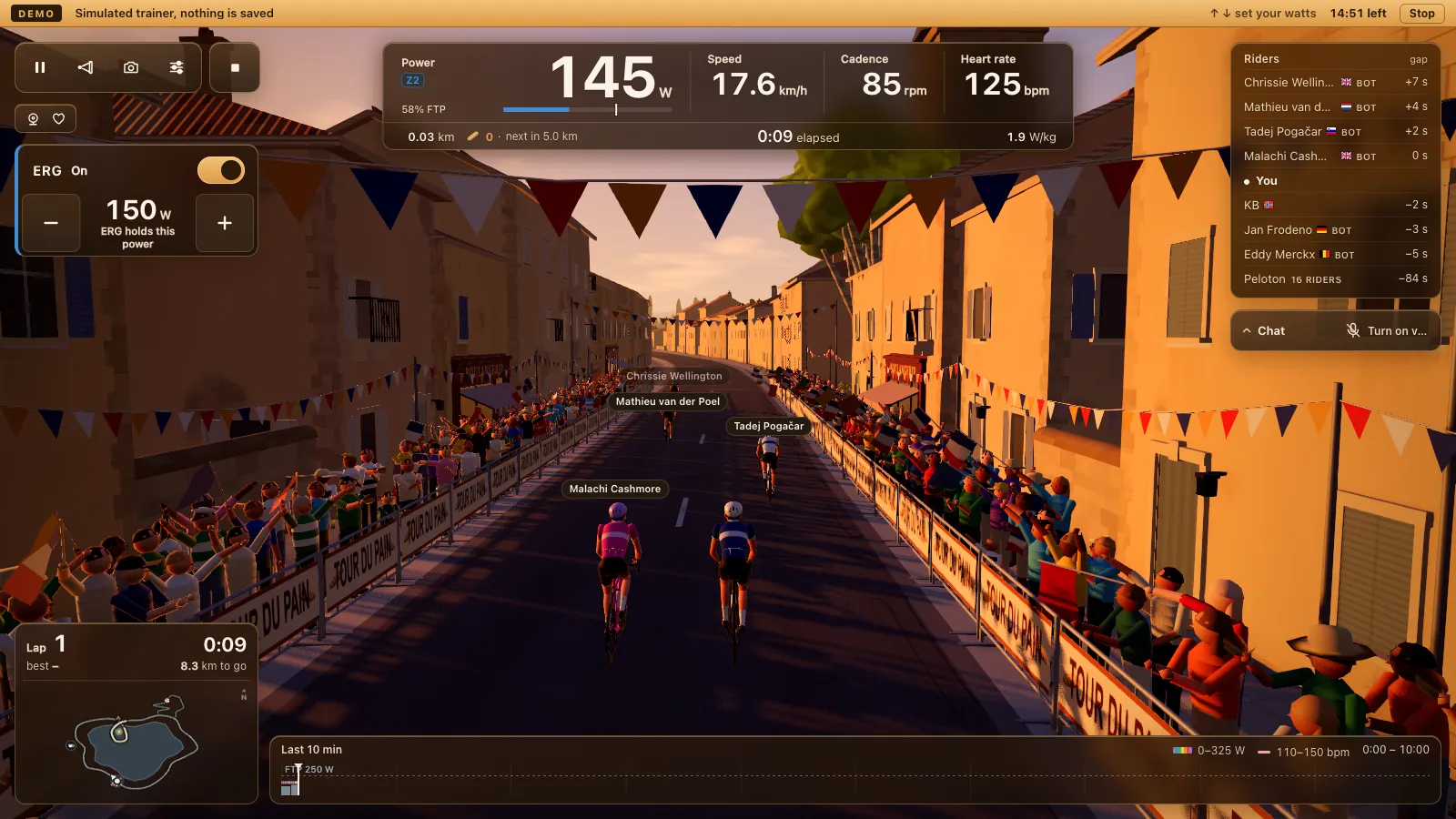
What shipped in 1.31.0
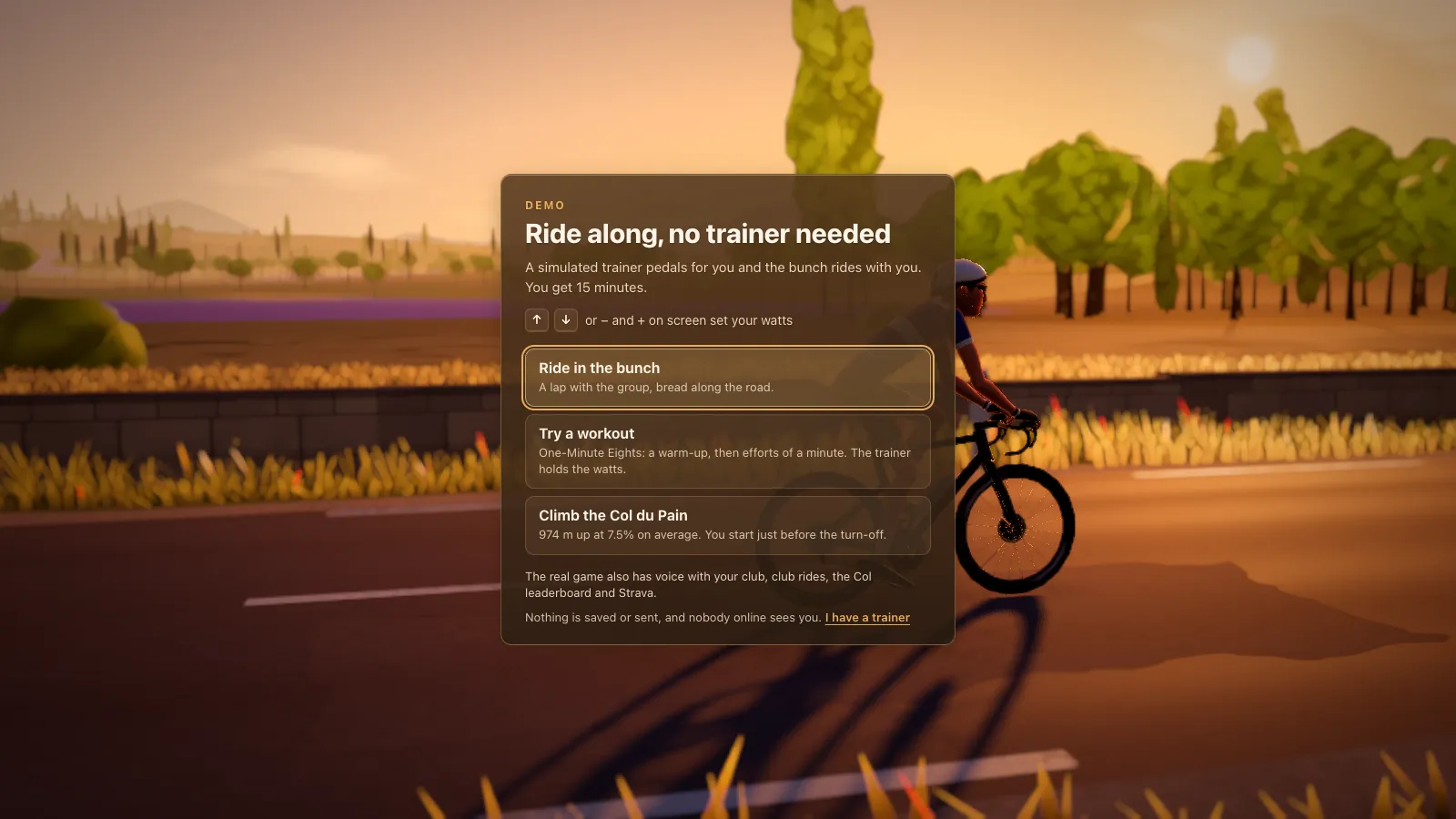
The demo came in 1.31.0. Open it and you pick one of three rides: a lap in the bunch, a workout, or the Col du Pain. The arrow keys, or minus and plus on screen, set the watts. After 15 minutes an end card shows what you rode.
The demo saves and sends nothing. There's no account, no saved ride and no Col time, and it leaves your own settings and account on the device untouched. If you already ride Tour du Pain on that computer, your profile is exactly as you left it.
The same release made the turn card smaller on a small phone held sideways, down to the numbers and the buttons, so more of the road shows.
The three rides
Ride in the bunch is a lap with the group, with bread along the road. Try a workout gives you One-Minute Eights, a warm-up and then efforts of a minute, with the simulated trainer holding the watts the way ERG would. Climb the Col du Pain starts you just before the turn-off, with 974 m up at 7.5 % on average ahead of you. Nobody online sees you in any of them.
Who it's for
Most indoor cycling apps want an install, an account and a connected trainer before you see a road. That's a lot to ask of someone who only wants to know whether their laptop or Chromebook runs it smoothly, or of a club captain deciding whether to suggest it to the club. The demo answers those questions in a few minutes, from a link. If the device struggles, the end card says how many frames a second it managed, and on a very small screen it suggests a laptop, tablet or TV.
What 1.32.0 added
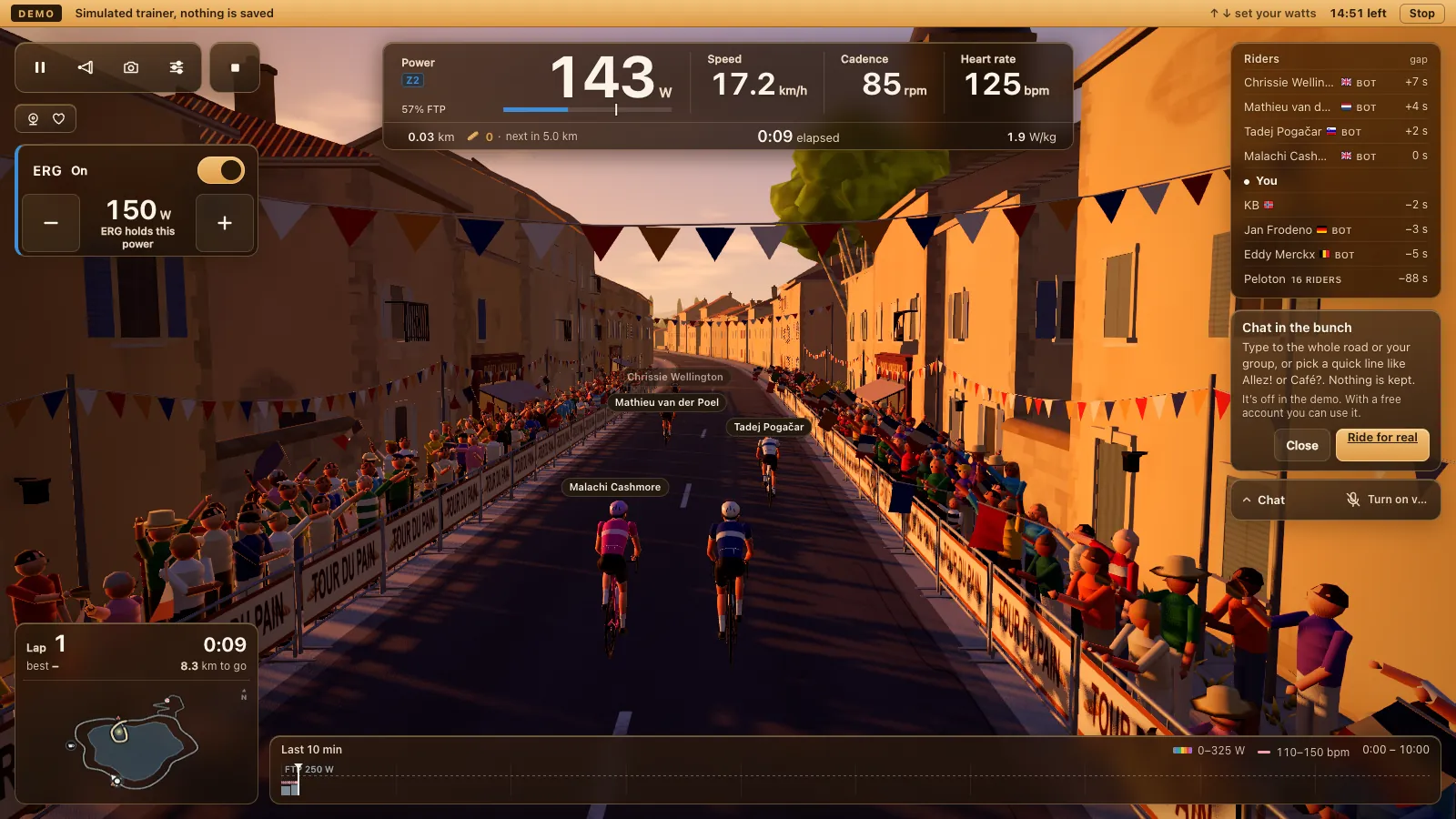
Later that day 1.32.0 made the demo show more of the real game. The Chat and voice bar now sits where it does in a real ride. Tap it and you see how talking and chatting in the bunch works; in the demo it's switched off, with no connection and no microphone.
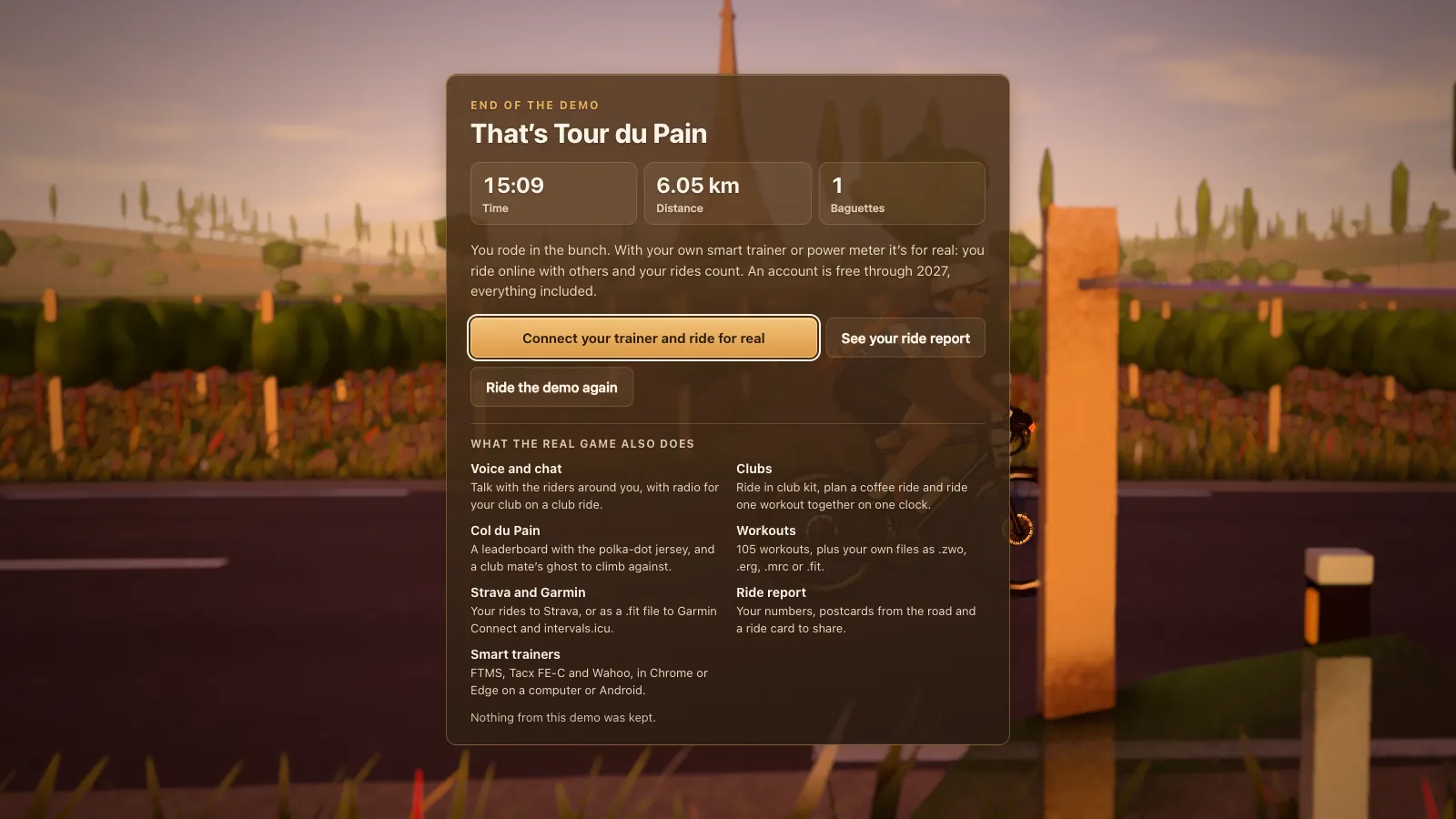
The start card names voice with your club, club rides, the Col leaderboard and Strava. The end card lists seven features of the full game. After the demo you can open the report of your demo ride, marked Demo, with saving, Strava and sharing switched off. Full screen also moved to the top of the ride settings, next to Close.
From the demo to a real ride
To ride for real you need Chrome or Edge on a computer or a Chromebook, or Chrome, Edge or Opera on an Android tablet, and a smart trainer or power meter with Bluetooth. Safari and Firefox can't reach Bluetooth, so the full game doesn't run on an iPhone or iPad. There's no ANT+ in a browser either.
Check your trainer in smart trainers that work in the browser, read how a cycling game runs in your browser, or set up an Android tablet for the pain cave. If you're coming from another app, Zwift alternatives compares ten of them, us included.