Kinetic trainers in your browser
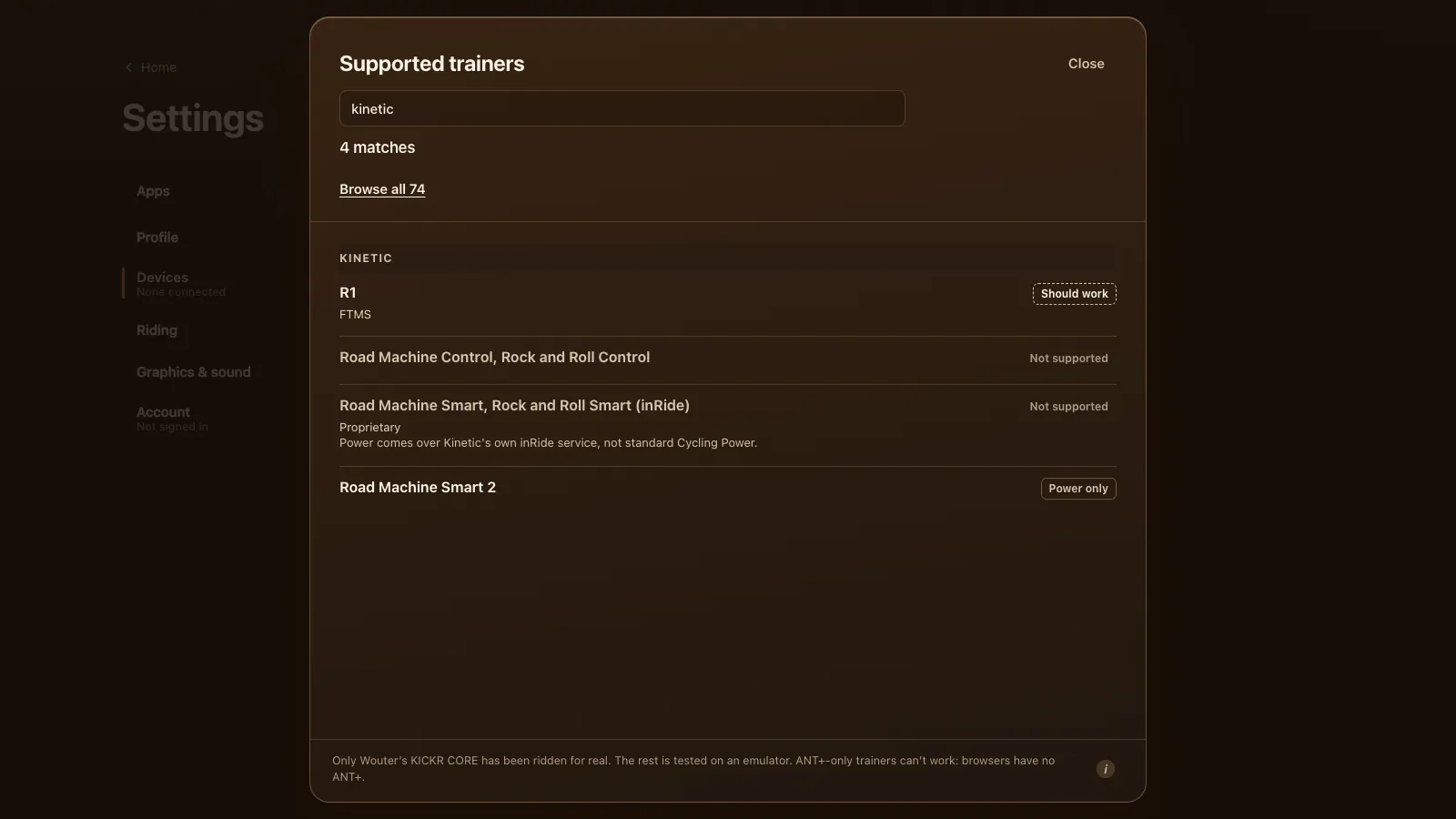
Kinetic trainers are a mixed bag in a browser. The Kinetic R1 speaks FTMS, the open Bluetooth standard, so it should work in Tour du Pain from Chrome or Edge with ERG and 33 resistance levels. The Road Machine Control and the older inRide models use Kinetic's own Bluetooth protocols, which the game doesn't speak, so they can't connect. The fluid Road Machine Smart 2 rides as power only. If yours is one of the unsupported ones, there's still a good way to ride, and this page shows it. Tour du Pain is free for everyone through 2027, everything included. Donations are optional.
Updated · Written for version 1.36.3
Tour du Pain is free for everyone through 2027, everything included. Donations are optional.
Which Kinetic trainers work
| Model | Protocol | Status | What you get |
|---|---|---|---|
| R1 | FTMS | Should work | Power, ERG and levels |
| Road Machine Smart 2 | Cycling Power (unconfirmed) | Power only | Power; you shift yourself |
| Road Machine Control, Rock and Roll Control | Kinetic Control | Not supported | Nothing yet: add a power meter |
| Road Machine Smart, Rock and Roll Smart (inRide) | Kinetic inRide | Not supported | Nothing yet: add a power meter |
The same table with its sources is on every supported trainer.
Kinetic R1
The R1 is Kinetic's direct-drive smart trainer. Smart Bike Trainers' Kinetic R1 review lists Bluetooth with FTMS and ANT+ FE-C, up to 2,000 watts, a 20% simulated grade and Kinetic's side-to-side rocking motion. Tour du Pain uses the FTMS side, which gives you ERG and the levels like on any FTMS trainer.
Two things from that review are worth knowing before you ride. The R1 shipped without cadence from the trainer itself and came with a separate cadence sensor; Kinetic planned to add it back by firmware. And the reviewer measured its power a few percent high.
For cadence, connect that sensor too: Settings, Devices, More sensors, then Connect next to Cadence sensor. A Bluetooth power meter on the bike also gives cadence, and more exact watts. Firmware updates and calibration go through Kinetic's app; close it before you connect in the game.
Setting up an R1
- Update the firmware with Kinetic's app, then close the app.
- Open tourdupain.app in Chrome or Edge on a computer, a Chromebook or an Android tablet.
- Pedal a few strokes to wake the trainer.
- Go to Settings, Devices and press Connect next to Smart trainer. Pick the R1 from the browser's list; if it isn't there, turn on Show all devices.
- Connect the cadence sensor under More sensors if the trainer doesn't send cadence.
In ERG the R1 holds each block's watts whatever your cadence. There are 105 workouts in the game and your own .zwo, .erg, .mrc and .fit files load; see ERG workouts in your browser. With ERG off, one of 33 levels based on your FTP sets the resistance. The road's gradient changes your speed on screen, not the resistance, so climbs feel flat on the trainer.
Road Machine Control and the inRide trainers: why they don't connect
Kinetic built its earlier smart trainers on two Bluetooth services of its own. You can see both side by side in GoldenCheetah's Bluetooth device code, which lists a Kinetic inRide service and a Kinetic Smart Control service next to the standard ones.
- Road Machine Control and Rock and Roll Control take commands over Kinetic Control. Tour du Pain speaks FTMS, Tacx FE-C over Bluetooth and Wahoo's older protocol, and Kinetic Control isn't one of them yet.
- Road Machine Smart and Rock and Roll Smart with the inRide pod are fluid trainers. The pod measures power, but sends it over Kinetic's inRide service instead of the standard Cycling Power service. So the game can't even read the watts.
When you pick one of these in the browser's list, Devices says it doesn't look like a trainer: no FTMS, Tacx FE-C, Wahoo or Cycling Power service. That message is correct, and no setting changes it.
"Yet" is honest for Kinetic Control: it's a protocol the game could learn one day. We'd rather say no now than let you find out on the bike.
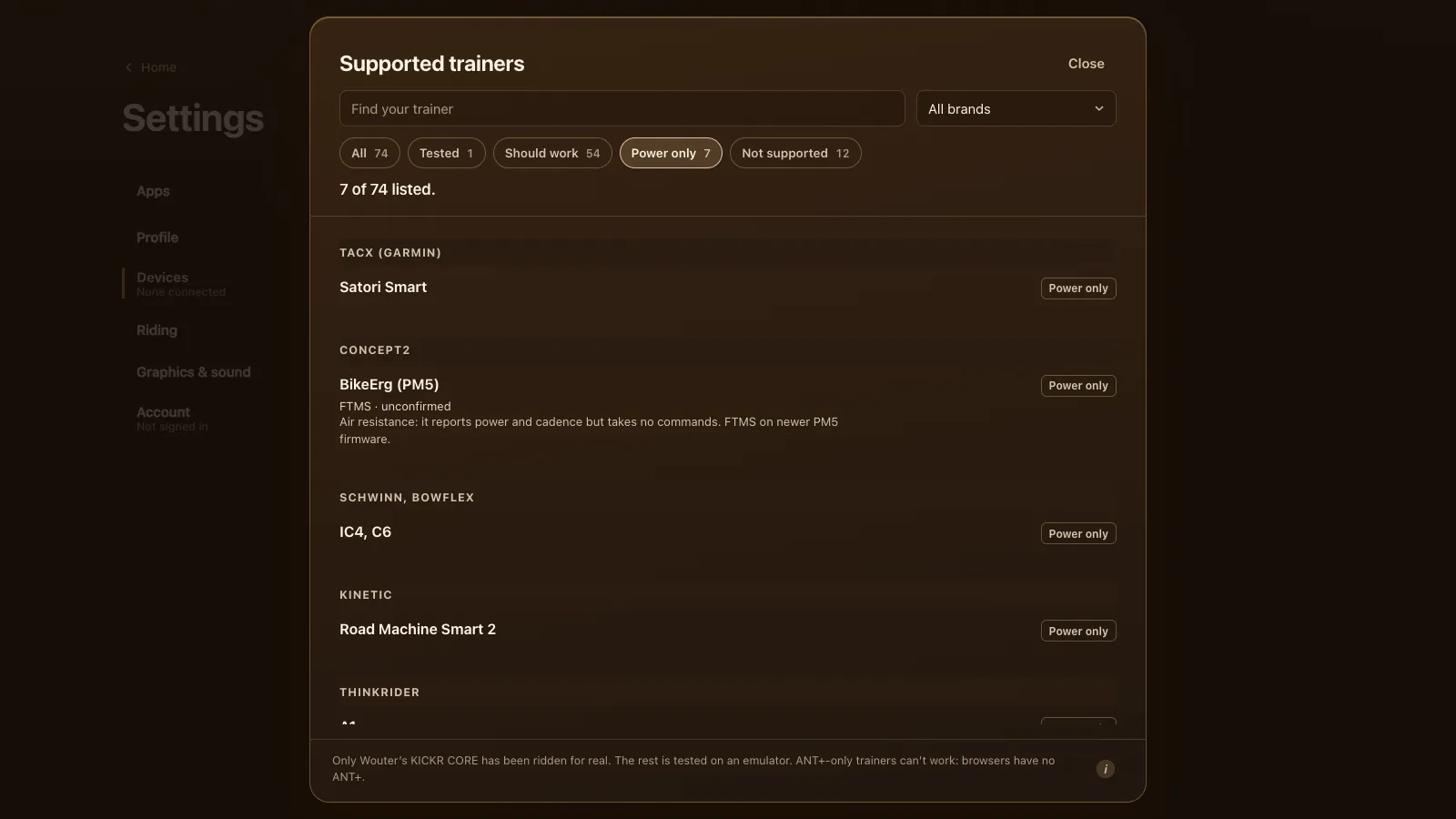
Road Machine Smart 2: power only
Kinetic's Road Machine Smart 2 page describes a fluid trainer whose resistance isn't app controlled, with a built-in inRide 3 power sensor that talks Bluetooth and ANT+. The game lists it as power only, with the protocol unconfirmed.
Power only is a proper way to ride. The fluid unit gets harder the faster the wheel spins, so you set the effort with your gears, like on a road. Your watts move you in the game, count for bread and the leaderboards and go into the .fit file. There's no ERG and no levels, because the trainer can't take commands.
If your Kinetic isn't supported: ride on a power meter
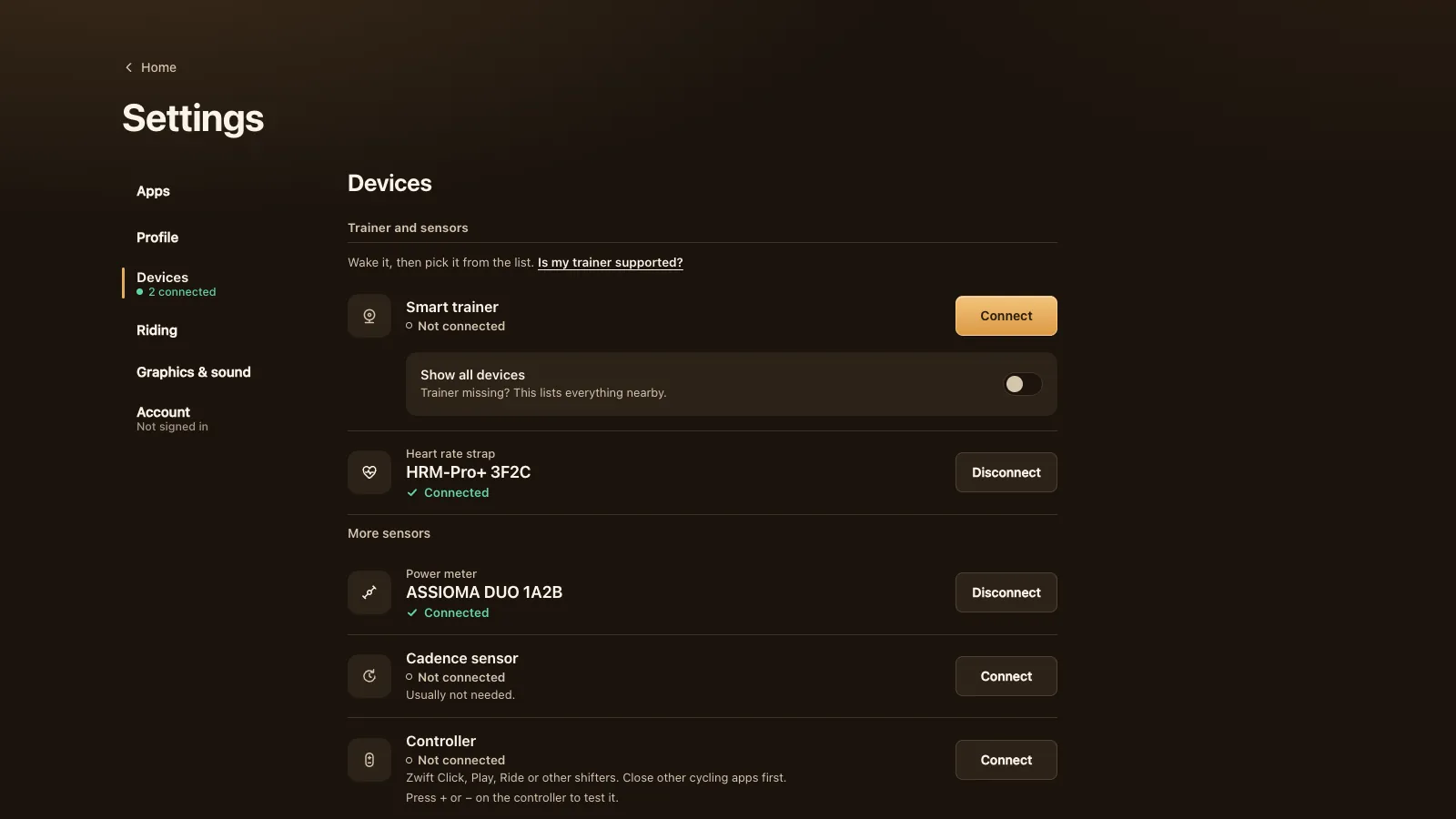
This is the answer for a Road Machine Control, an inRide trainer or any old Kinetic fluid trainer. Put a Bluetooth power meter on the bike (pedals such as Favero Assioma or Garmin Rally, or a crank or spider meter) and keep the Kinetic as your resistance.
- In Settings, Devices, press Connect next to Smart trainer and pick the power meter. Or connect it under Power meter in More sensors.
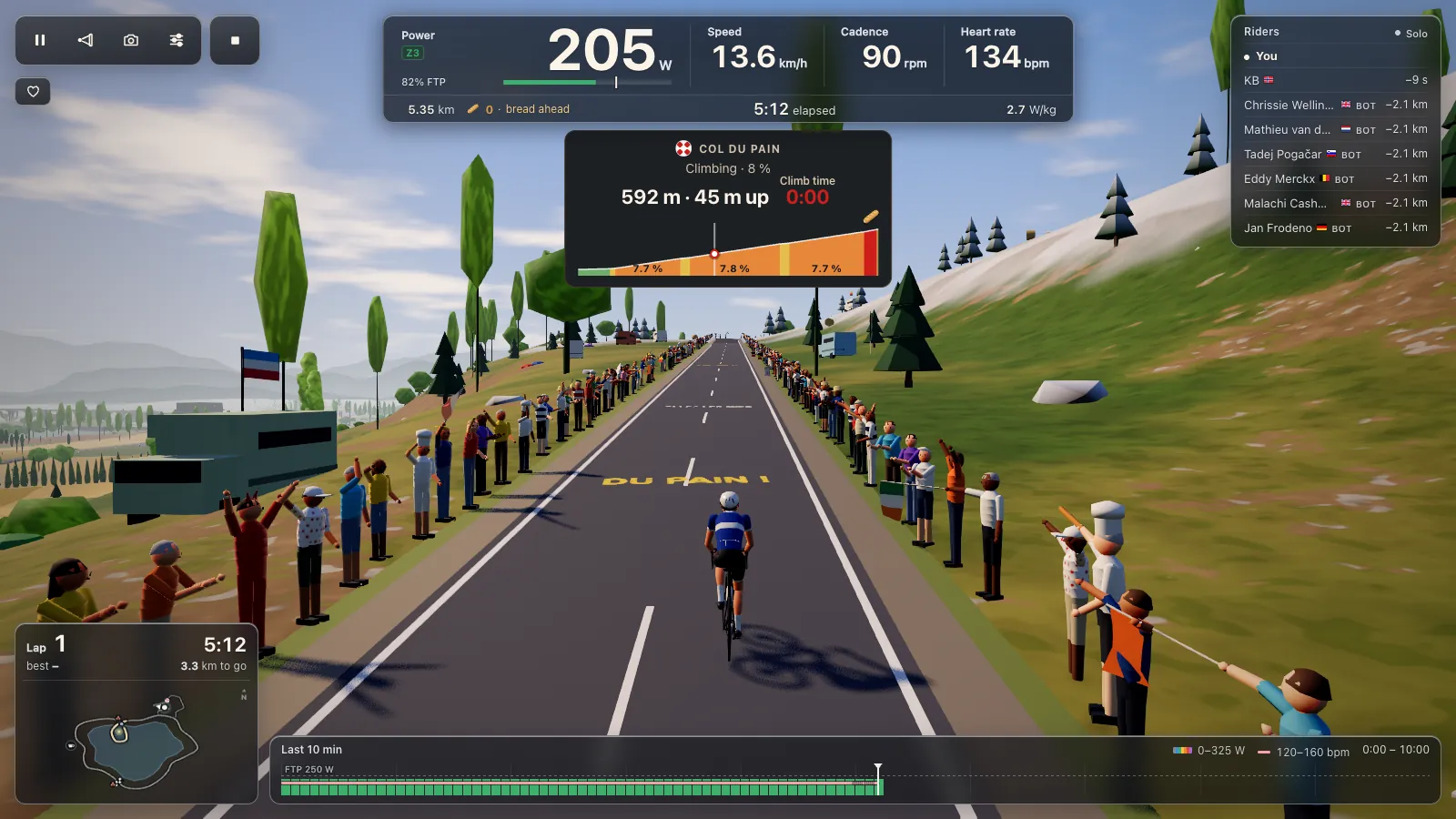
- Ride a free ride, a group ride or the Col du Pain. Your gears and the fluid unit set the effort; the game shows your watts.
- Workouts work too: you follow the target yourself instead of ERG holding it.
Riding with a power meter only has the details, including which meters work and why a meter is often more exact than a trainer's own reading.
Tour du Pain or Zwift on a Kinetic
We make Tour du Pain. Zwift is the big one: many worlds, races, structured plans, on a subscription. Tour du Pain is a browser tab with nothing to install, voice and chat built in, clubs, ride-along groups that keep you together whatever your watts, a demo without a trainer, and it's free for everyone through 2027 with everything included.
- For Zwift: it can use ANT+ with a USB dongle on a computer (Zwift's ANT+ and Bluetooth overview), and native apps aren't limited to the Bluetooth services a browser can open.
- For Zwift: far more roads, races and events.
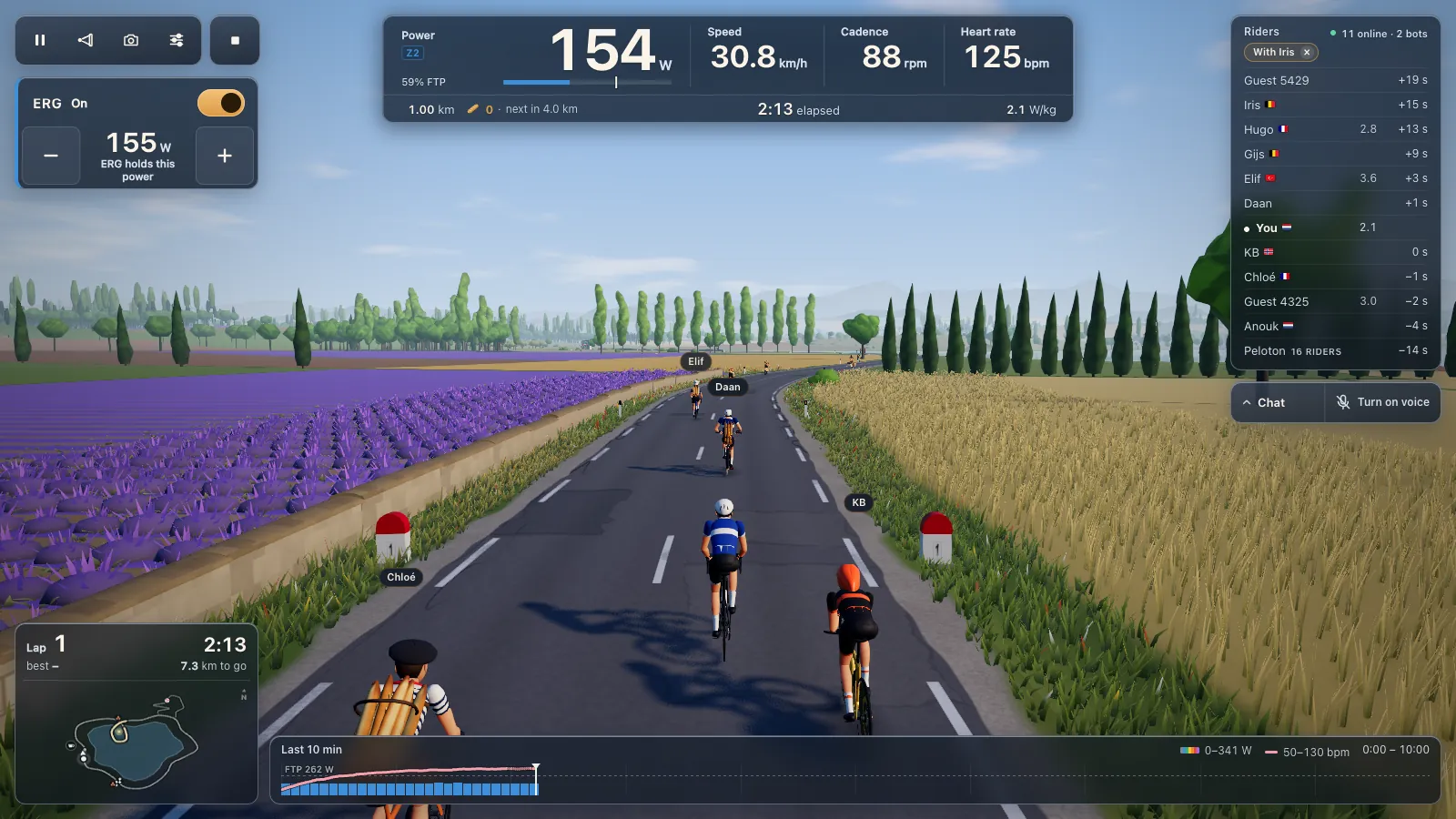
- For Tour du Pain: an R1 gets ERG over FTMS the same way, with nothing to install.
- For Tour du Pain: with a power meter, any old Kinetic rides along in a club ride with voice chat, on a Chromebook or Android tablet too.
Questions
Does the Kinetic R1 work with Tour du Pain?
It should. The R1 speaks FTMS over Bluetooth, which the game uses in Chrome or Edge for ERG and levels. It hasn't been ridden here yet, so tell us how it goes.
Why can't Tour du Pain connect to my Kinetic Road Machine Control?
It takes commands over Kinetic Control, Kinetic's own Bluetooth protocol, which the game doesn't speak yet. Ride it with a Bluetooth power meter on the bike instead.
Does the Kinetic inRide sensor work in a browser?
No. It sends power over Kinetic's own inRide service, not the standard Cycling Power service, so the game can't read it. A Bluetooth power meter does the same job.
Can I use a Kinetic Road Machine Smart 2?
Yes, as power only. It sends power, and you set the effort with your gears. There's no ERG, since its fluid resistance can't be controlled by any app.
Why doesn't my Kinetic R1 show cadence?
Some R1s shipped without trainer cadence and a separate cadence sensor in the box. Connect that sensor under More sensors, or ride with a power meter that sends cadence.
Will Kinetic Control be supported later?
Possibly. It's a protocol the game could learn, but there's no date. The game's list and the update log will say when it changes.