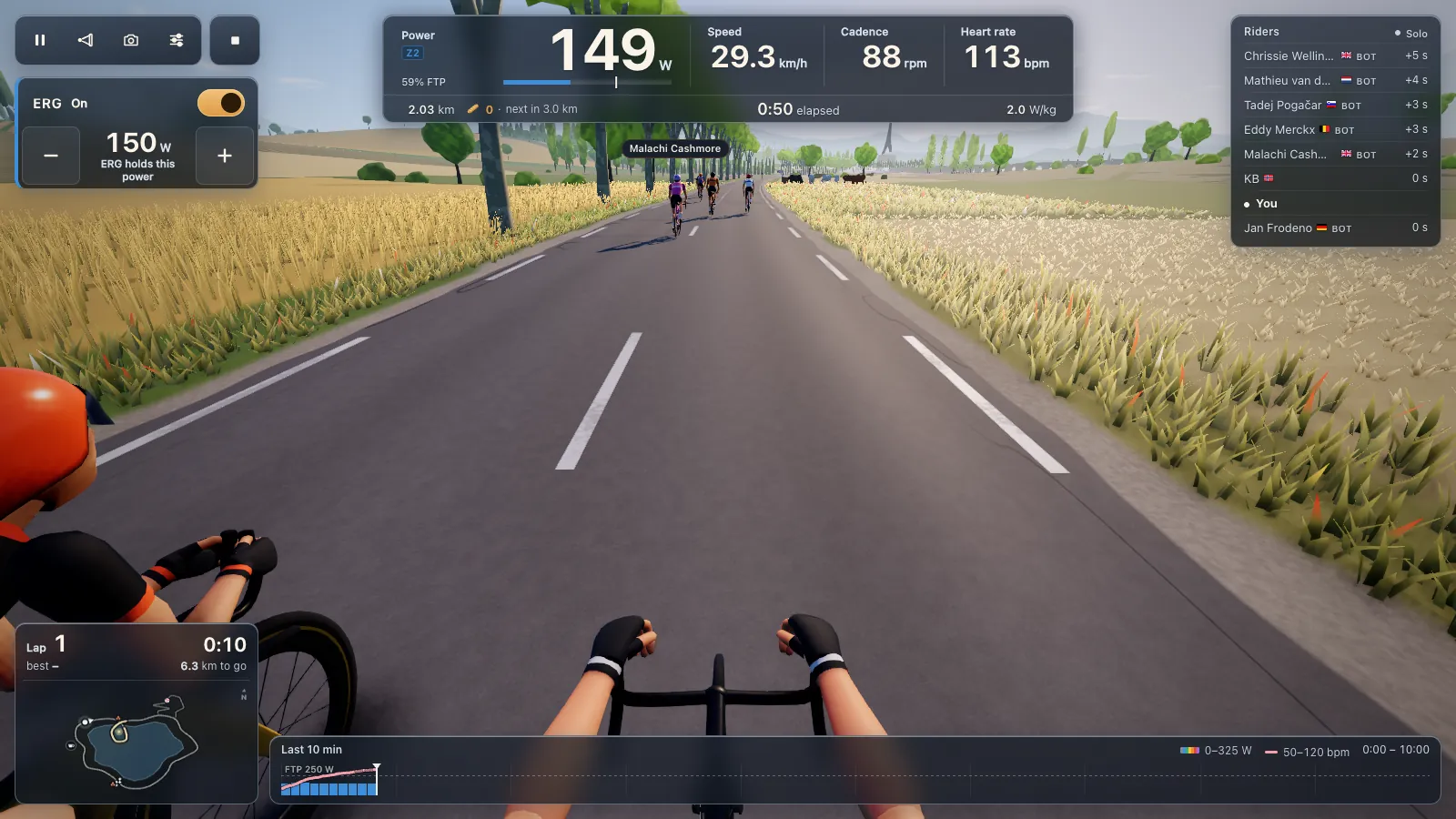
Ride with a power meter, no smart trainer
You don't need a smart trainer to ride indoors with a power meter. Put your bike on any basic trainer or rollers, connect your Bluetooth power pedals or crank meter in Chrome or Edge, and Tour du Pain turns your watts into speed on the road. You shift your own gears for the effort; the game just can't change the resistance for you.
Updated · Written for version 1.36.3
Tour du Pain is free for everyone through 2027, everything included. Donations are optional.
How a power meter ride works
Since version 1.19.2 (29 October) a power meter can drive a whole ride on its own, without any trainer connected:
- Speed follows your watts. Push 250 W and you go as fast as 250 W takes you on that bit of road.
- Cadence comes from a Bluetooth cadence sensor if you have one, or from the meter's own crank data.
- Heart rate shows when you wear a strap.
- The ERG switch and the resistance level are hidden, since there's nothing to control.
- A smart trainer you connect later takes over.
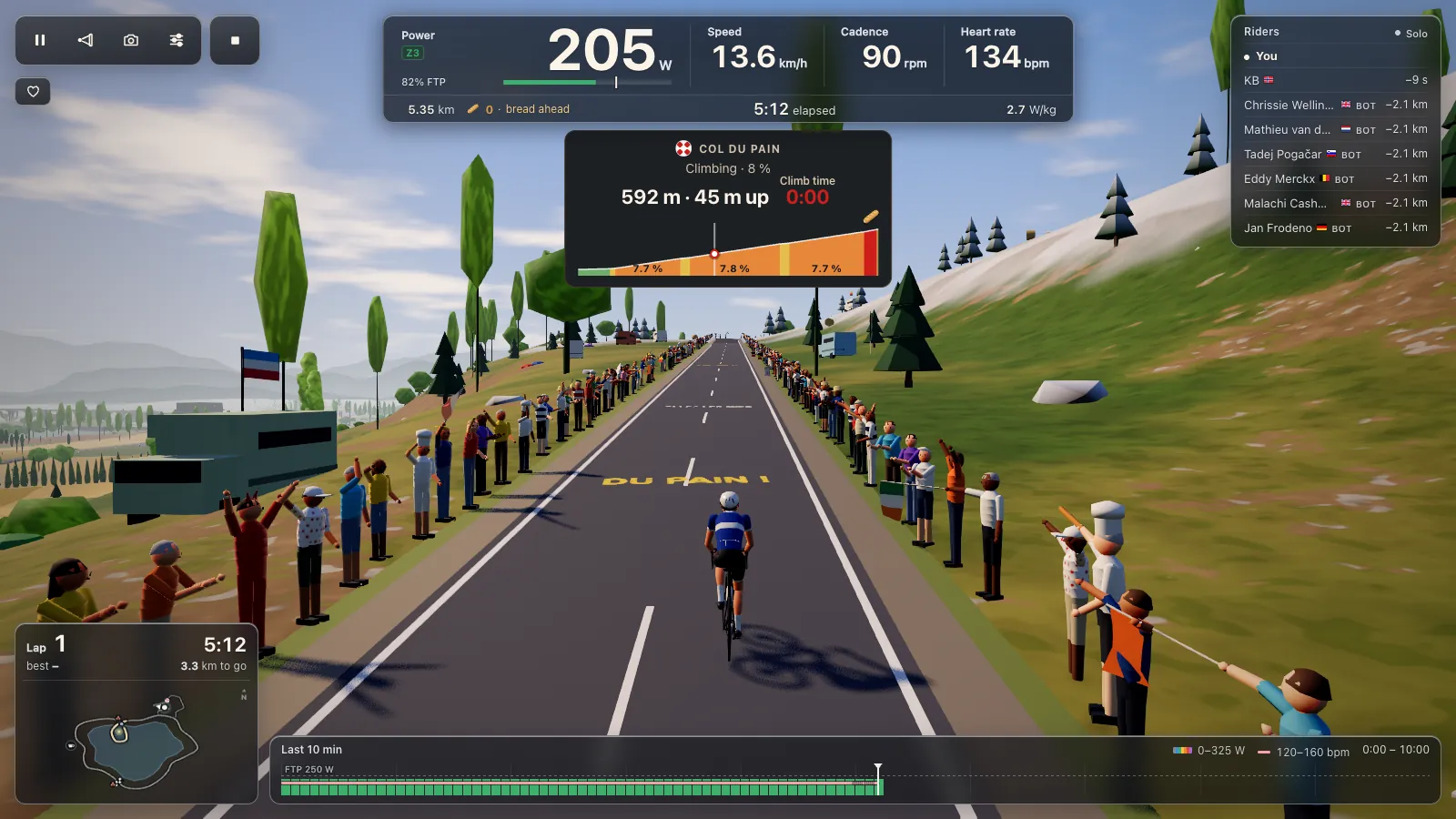
The bunch, the café, the Col du Pain, riding along with a friend and the weekly Col leaderboard all work the same. On the Col the gradient slows you down on screen, but what you feel is whatever your basic trainer gives you.
Setting up a power meter
- Open tourdupain.app in Chrome or Edge on a computer, a Chromebook or an Android tablet.
- Spin the cranks to wake the meter. Pedals and crank meters sleep after a while.
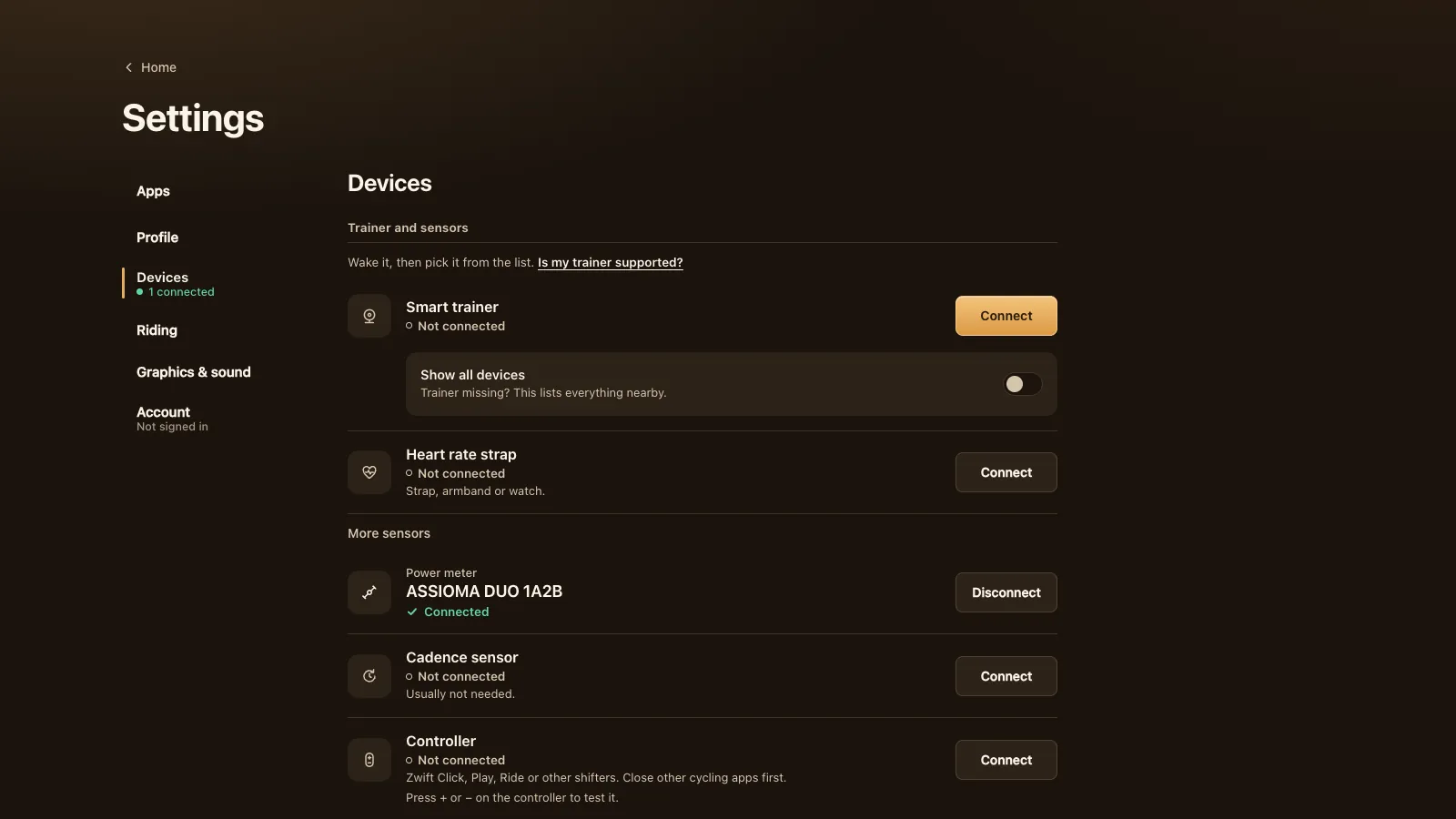
- Go to Settings, Devices. Under More sensors, press Connect next to Power meter and pick it from the browser's list.
- Add a cadence sensor or heart rate strap if you like. A cadence sensor is usually not needed, since most meters send cadence.
- Start a free ride, a workout or the ramp test.
Any Bluetooth meter that uses the standard Cycling Power service should work: Favero Assioma, Garmin Rally, Stages, 4iiii, Quarq and others. You can also pick the meter in the Smart trainer slot and ride on its power alone. Many meters also broadcast ANT+, like the Favero Assioma, which a browser can't use, so it has to be the Bluetooth side. If the meter doesn't show up, close other apps that use it over Bluetooth.
Meters without cadence
Some meters send power but no crank data. Since version 1.27.6 (31 October) those work fully: the game no longer brakes your rider after 10 seconds without cadence, and the ramp test and riding along work. The console shows a dash where cadence would be, and the recording keeps none. Add a cadence sensor if you want it in your file.
The same release made two smaller fixes. A power spike above 3000 W from a glitchy source is ignored, so it can't spoil your ride or block its upload. And if your meter goes quiet mid-ride, for example when its battery dies, the game says so instead of asking you to start pedalling.
What you lose without a smart trainer
The honest list:
- No ERG. In a workout the targets show on screen, but you hit them with your gears and your legs. Long intervals are harder to hold steady.
- No resistance levels. The 33 levels and minus and plus need a trainer that takes commands.
- A flat feel. The road's gradient changes your speed in the game, never the resistance. (That's true on a smart trainer in Tour du Pain too.)
- The basic trainer sets the feel. What you feel in your legs is your trainer's own resistance, whatever the road does.
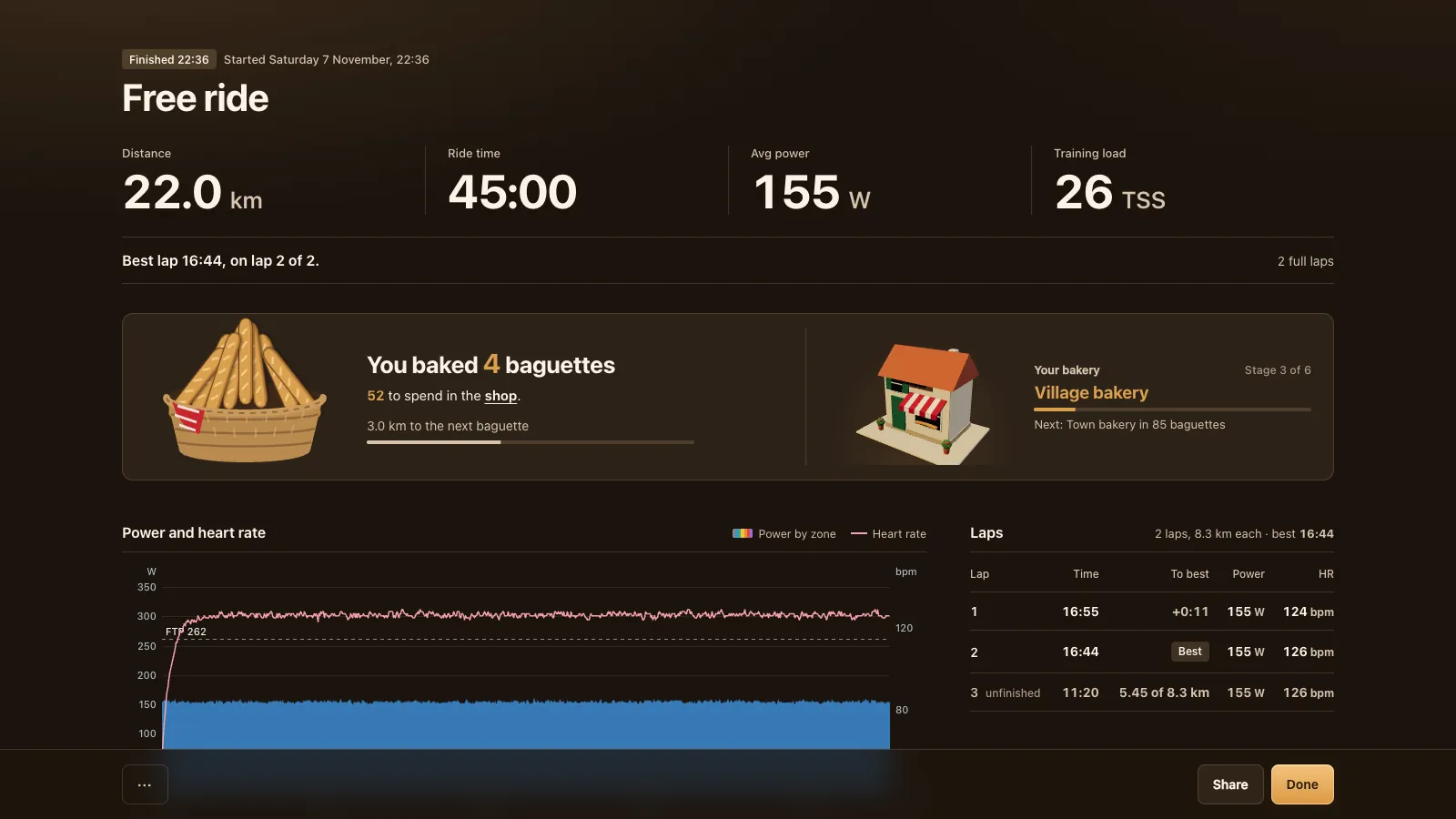
What you keep: real watts. Your speed, your Col time, your training load and your FTP test all come from the meter on your own bike.
The ramp test on a power meter
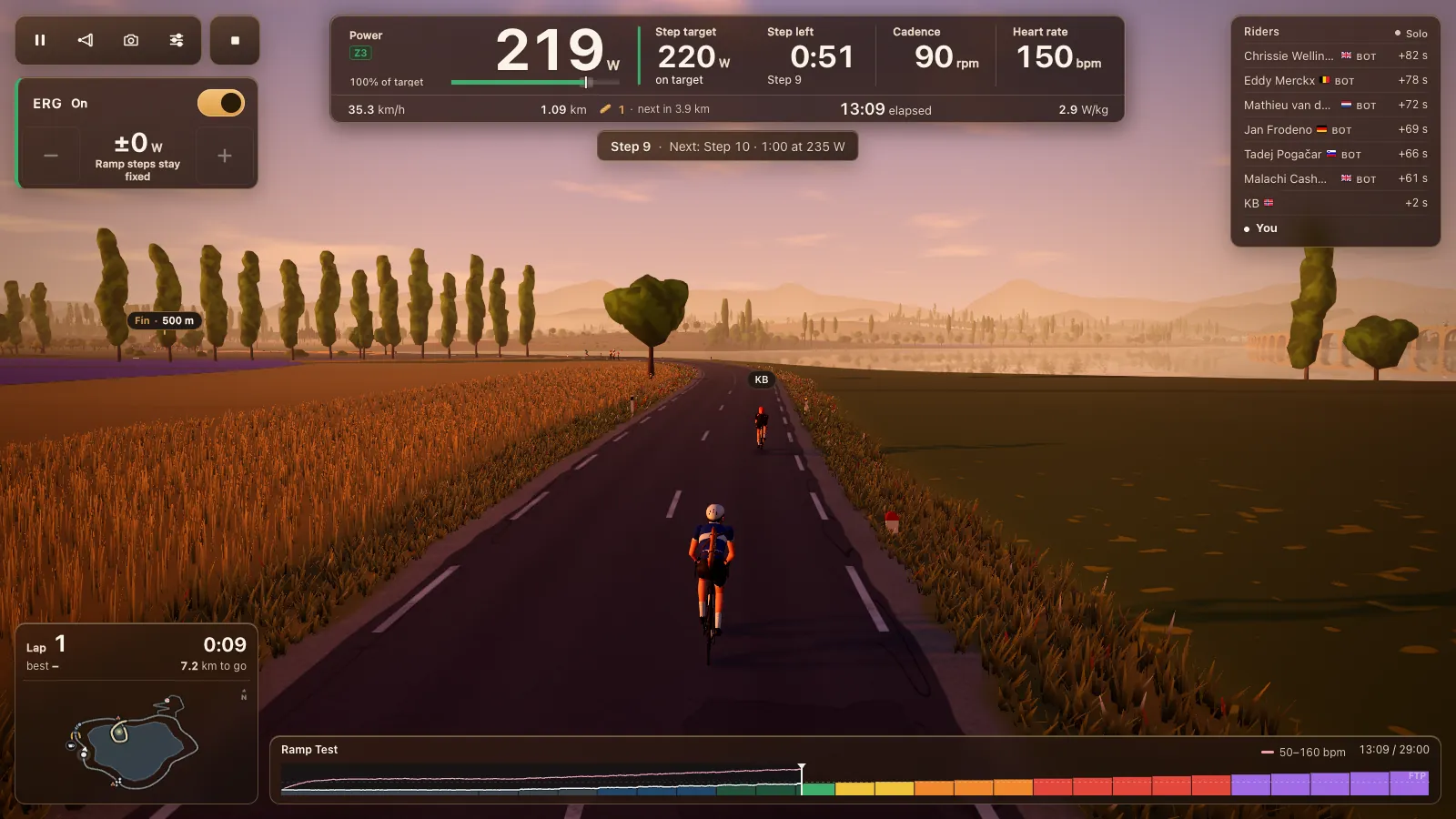
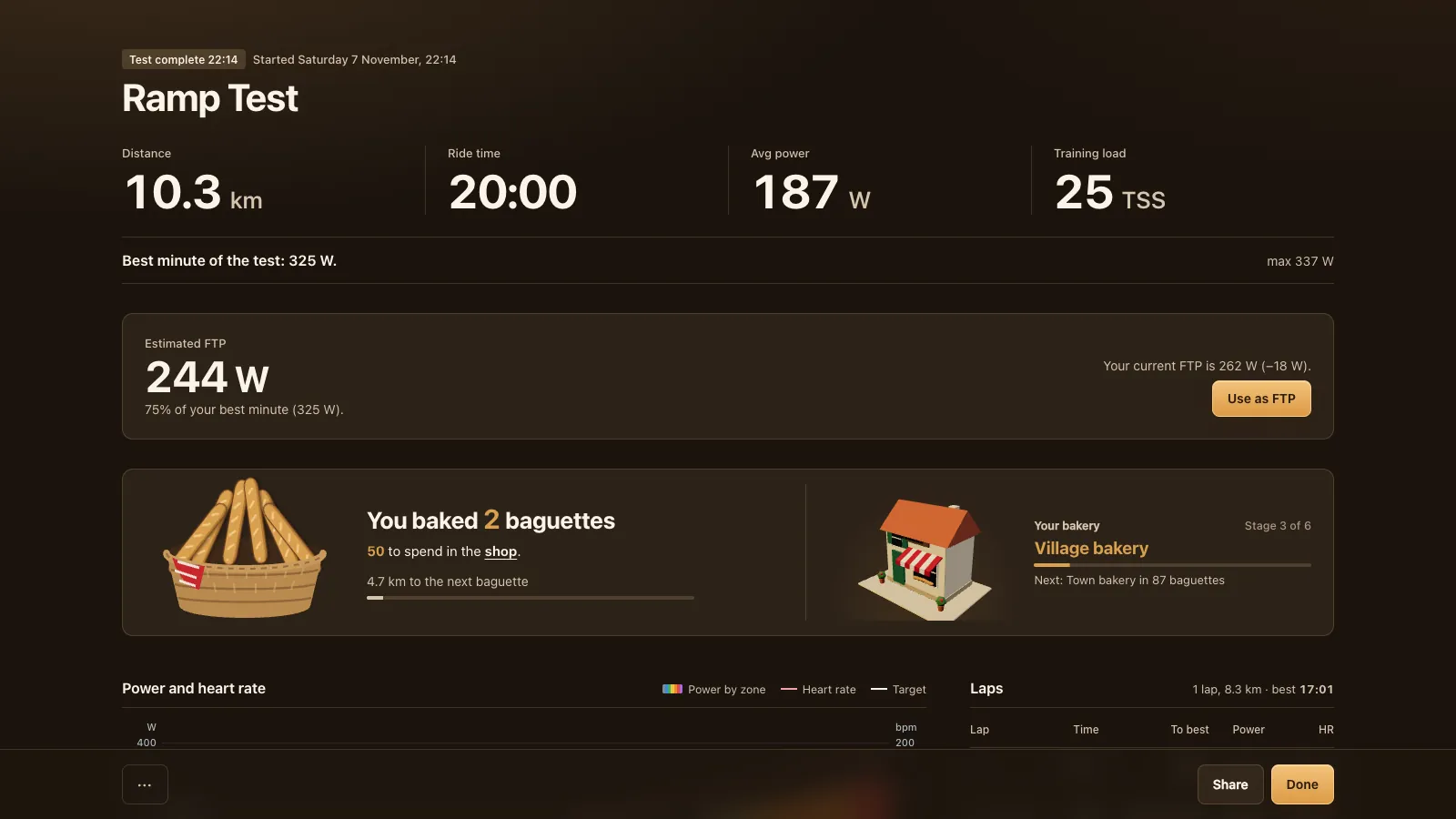
The FTP ramp test works with a power meter. The target rises every minute and you keep up by shifting. The test ends when your legs stop, and the report gives your estimated FTP with a Use as FTP button.
Bikes and machines that ride as power only
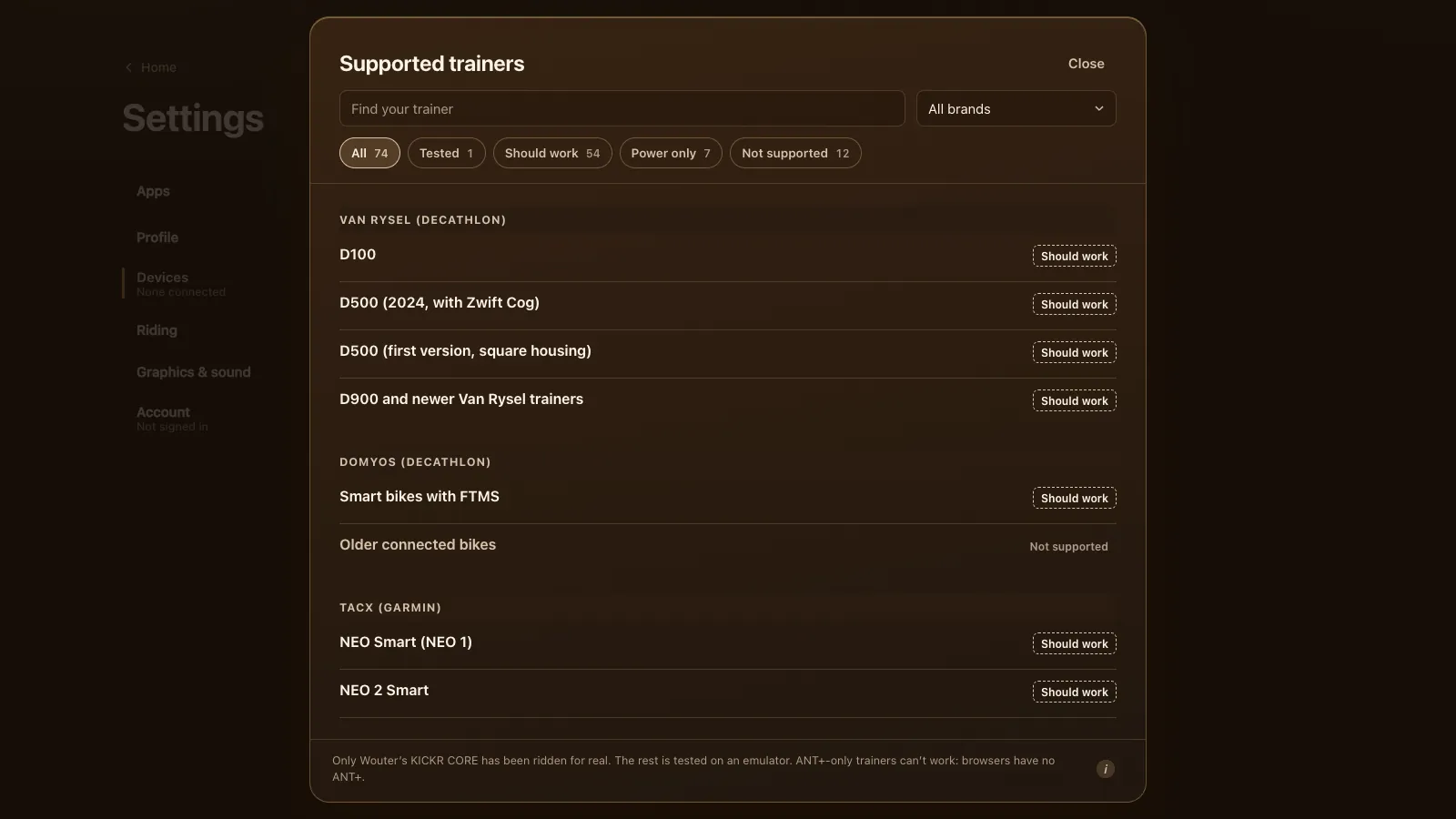
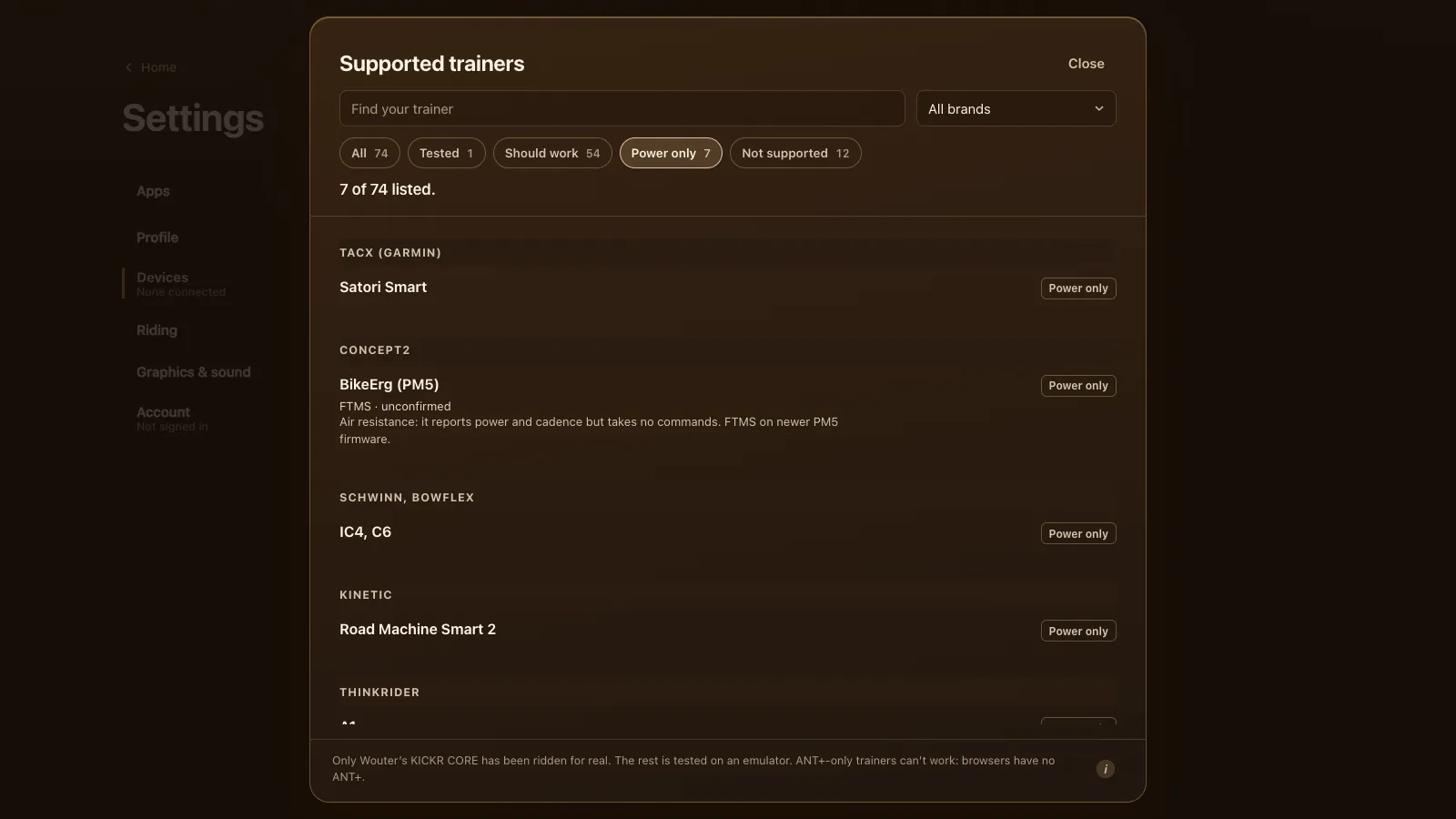
Some indoor bikes and trainers send power but take no commands. In the game's list they're marked Power only and ride exactly like a power meter:
| Machine | Protocol | What to know |
|---|---|---|
| Concept2 BikeErg (PM5) | FTMS (unconfirmed) | Air resistance; FTMS on newer PM5 firmware |
| Schwinn IC4, Bowflex C6 | FTMS | No motor; riders report its power reads high |
| Tacx Satori Smart | Cycling Power | Resistance is a lever on the trainer |
| Kinetic Road Machine Smart 2 | Cycling Power (unconfirmed) | A fluid trainer with a power sensor |
| ThinkRider A1 | FTMS (unconfirmed) | A roller with fixed resistance |
| Xplova Noza S, Noza 180 | Cycling Power | Control is over ANT+, which browsers lack |
A spin bike like the Schwinn IC4 is a good match for Tour du Pain: you turn its own resistance knob and the game reads the watts. Two indoor bikes don't work at all: the Peloton Bike and Bike+ have no open protocol, and the Keiser M3i sends power only inside Bluetooth advertisements (Keiser's developer notes), which a browser can't open.
No power at all
A plain trainer with no power reading, like a Saris Fluid2 or a Tacx Boost, can't drive the game by itself. Speed from a wheel sensor isn't enough. Add a power meter to the bike and it's a full Tour du Pain setup.
Your rides afterwards
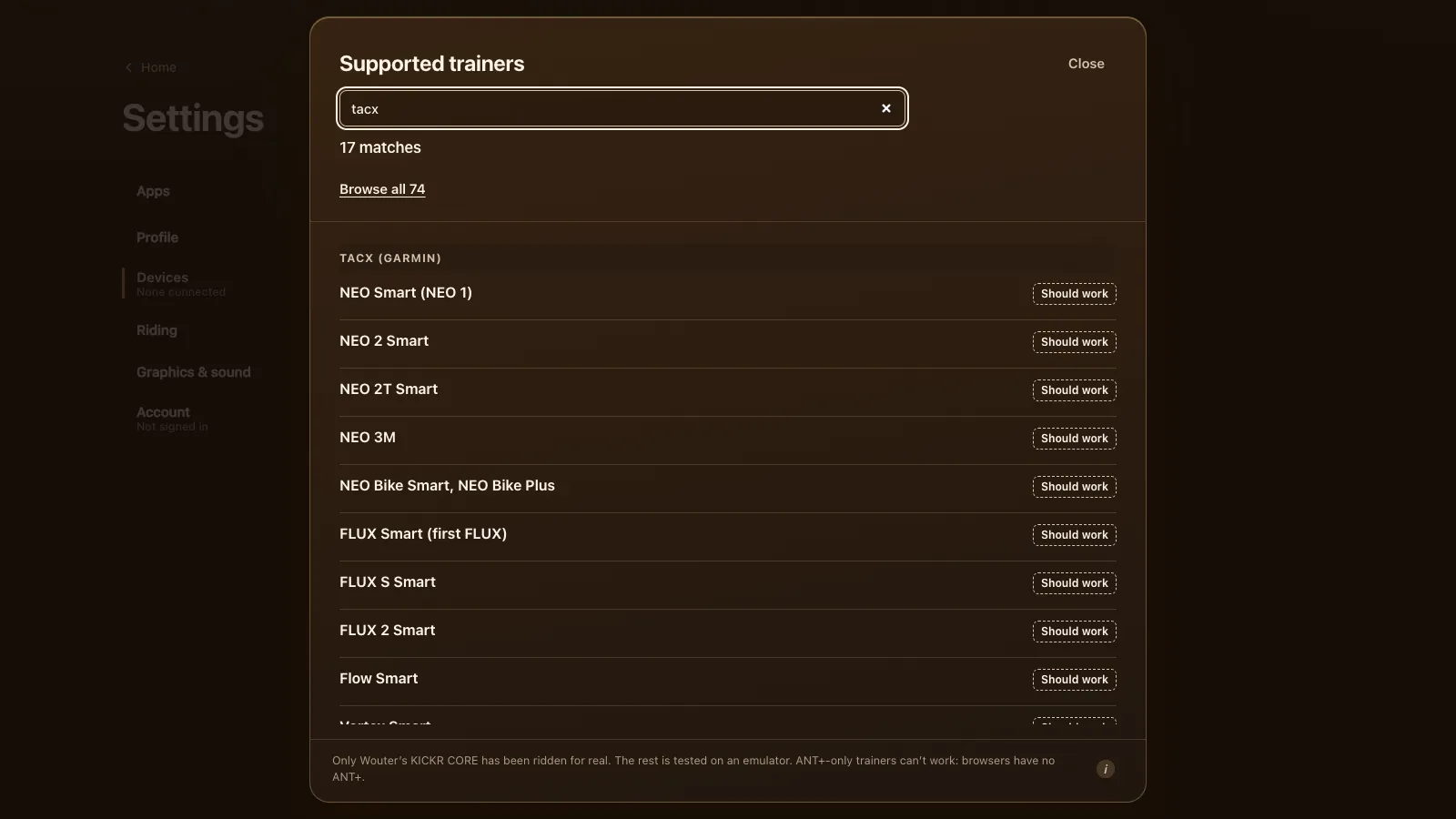
Power meter rides save and export like any other: a .fit file marked as a power-meter ride, an upload to Strava if you linked it, and an import into Garmin Connect or intervals.icu. See Strava, Garmin Connect and intervals.icu. If you're thinking about a smart trainer later, the smart trainer app page lists 74 models. Tacx Satori owners will find their trainer in the Tacx guide. You can try the game without any hardware in the demo.
Tour du Pain is free through 2027, everything included. It runs on donations.
Questions
Can I ride Tour du Pain without a smart trainer?
Yes, with a Bluetooth power meter on a basic trainer or rollers. Speed follows your watts. Without a power meter, the free demo rides with a simulated trainer.
Does my power meter work in the browser?
If it sends power over Bluetooth with the standard Cycling Power service, it should. That covers most pedals and crank meters, like Favero Assioma, Garmin Rally, Stages, 4iiii and Quarq.
Can I do ERG workouts with a power meter?
Not ERG: only a smart trainer can hold a power for you. The workout targets still show, and you follow them with your gears.
My power meter has no cadence. Does it still work?
Yes, since version 1.27.6. The game rides on power alone and shows a dash for cadence. A cadence sensor fills it in.
Does a Schwinn IC4 work with Tour du Pain?
It should, as power only over FTMS (emulator-tested). You set the resistance with its knob and the game reads the watts. Riders report its power reads on the high side.
Do power meter rides go to Strava?
Yes. They save and export to a .fit file and Strava like any other ride, marked as power-meter rides.