· Updated · 3 min read
Ride cards, postcards and a Strava link on line one
Indoor rides tend to look alike on Strava: a flat map and a block of numbers. Between 28 October and 4 November Tour du Pain made its rides easier to show. The game's link moved to the first line of your Strava description, the ride report got a ride card maker, and every postcard got its own Share button.
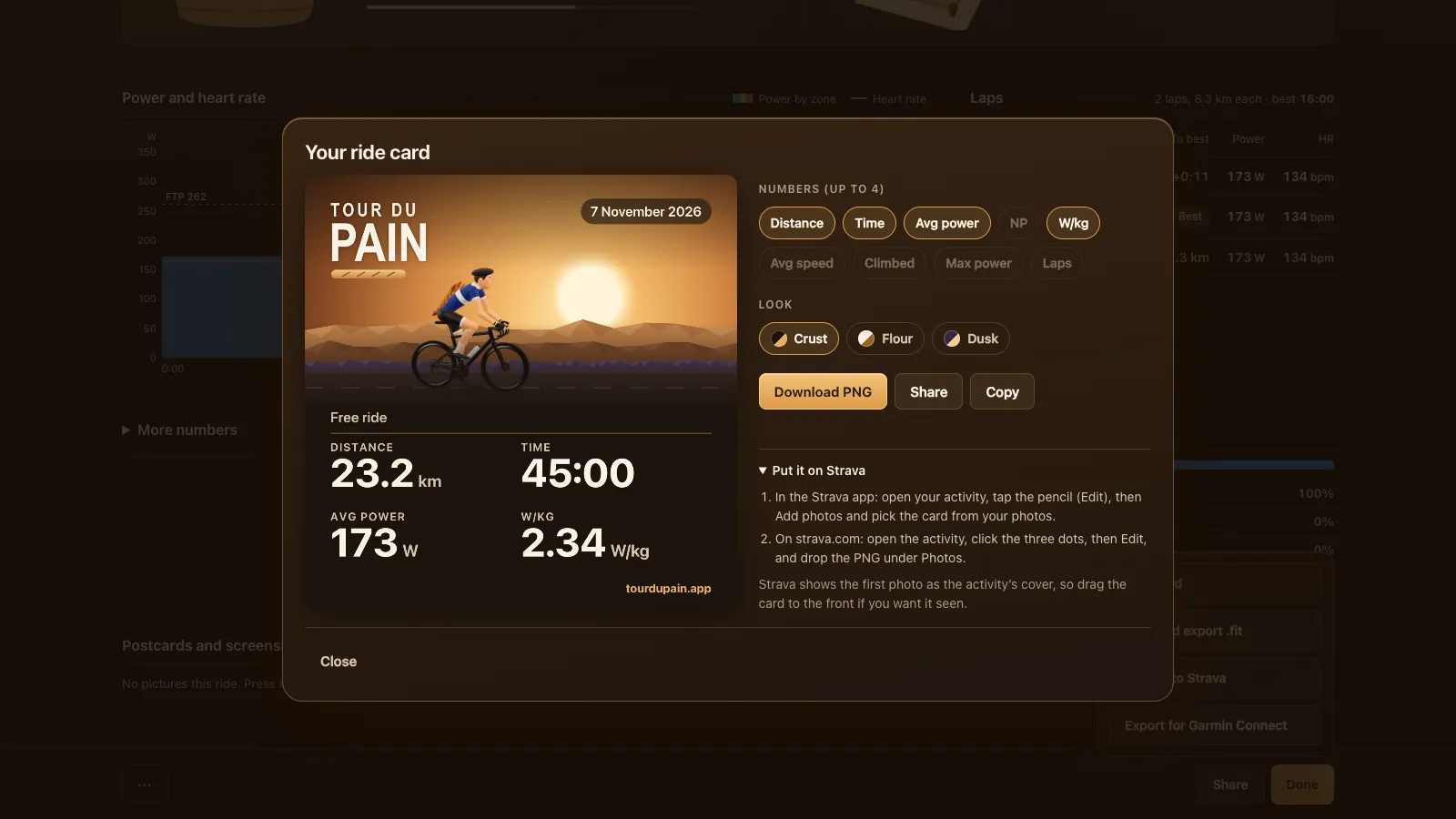
The link on line one
1.6.1 went live on 28 October. When a ride goes to Strava, the first line of its description is now "Ridden in Tour du Pain: https://tourdupain.app", with a little French flag in front. That puts the link in the feed, where friends see it under your ride. The baguettes you earned, the ride itself and the postcard follow underneath.
Rides saved in an older version got the link moved up when they were sent.
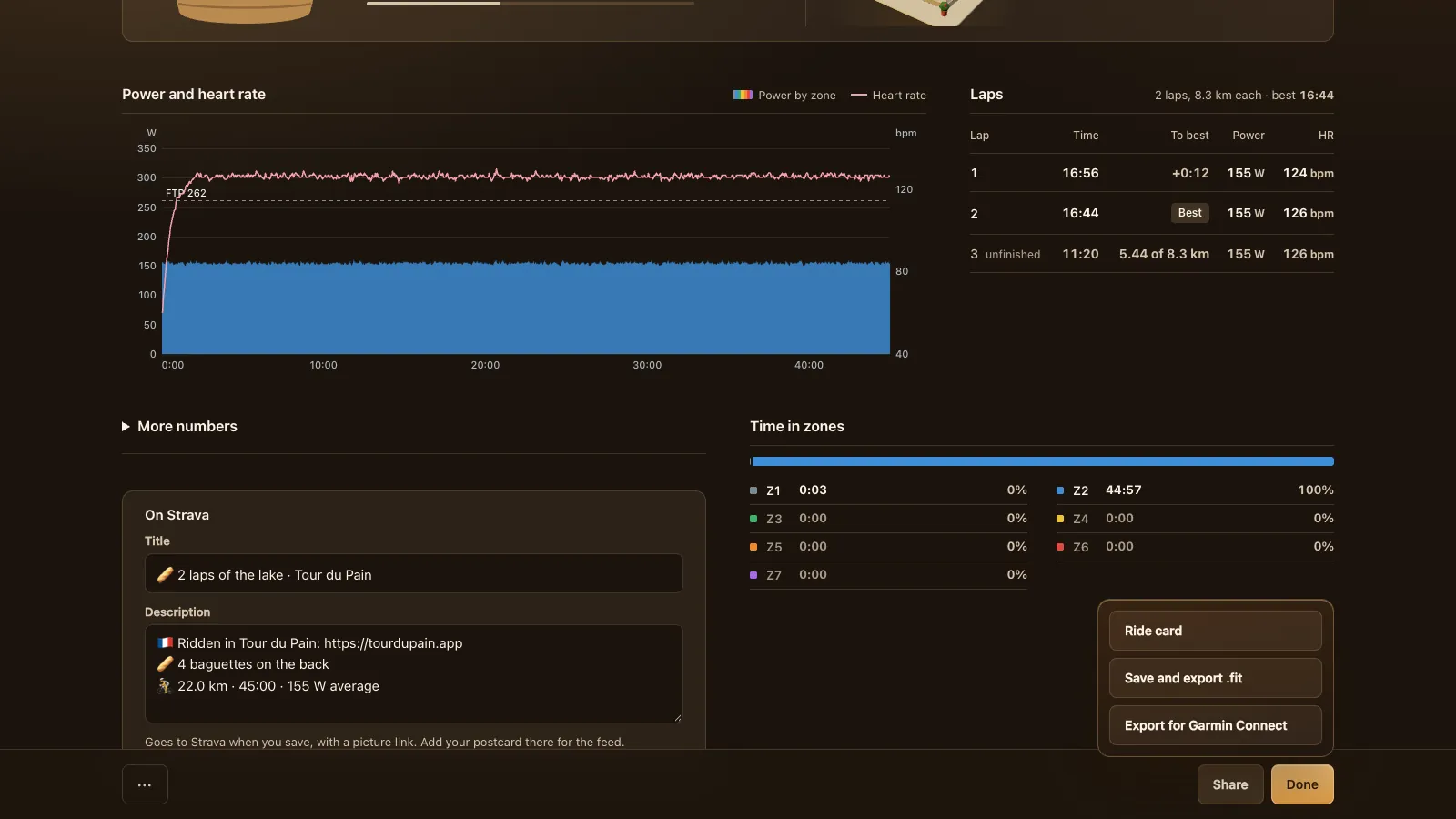
The ride card
On 29 October 1.16.0 added a Ride card button to the ride report. It makes a square image, 1080 by 1080 pixels, with a picture from your ride and up to four numbers you pick. You choose from distance, time, average power, NP, W/kg, average speed, climbed, max power and laps, and after a climb your Col time and Col rank.
The picture is one of your screenshots from the ride. Without one, the card uses a drawn evening with your rider on it. There are three looks, Crust, Flour and Dusk, and the week's polka-dot jersey holder gets polka dots on the card. Then you download it, share it from your phone, or copy it where the browser allows.
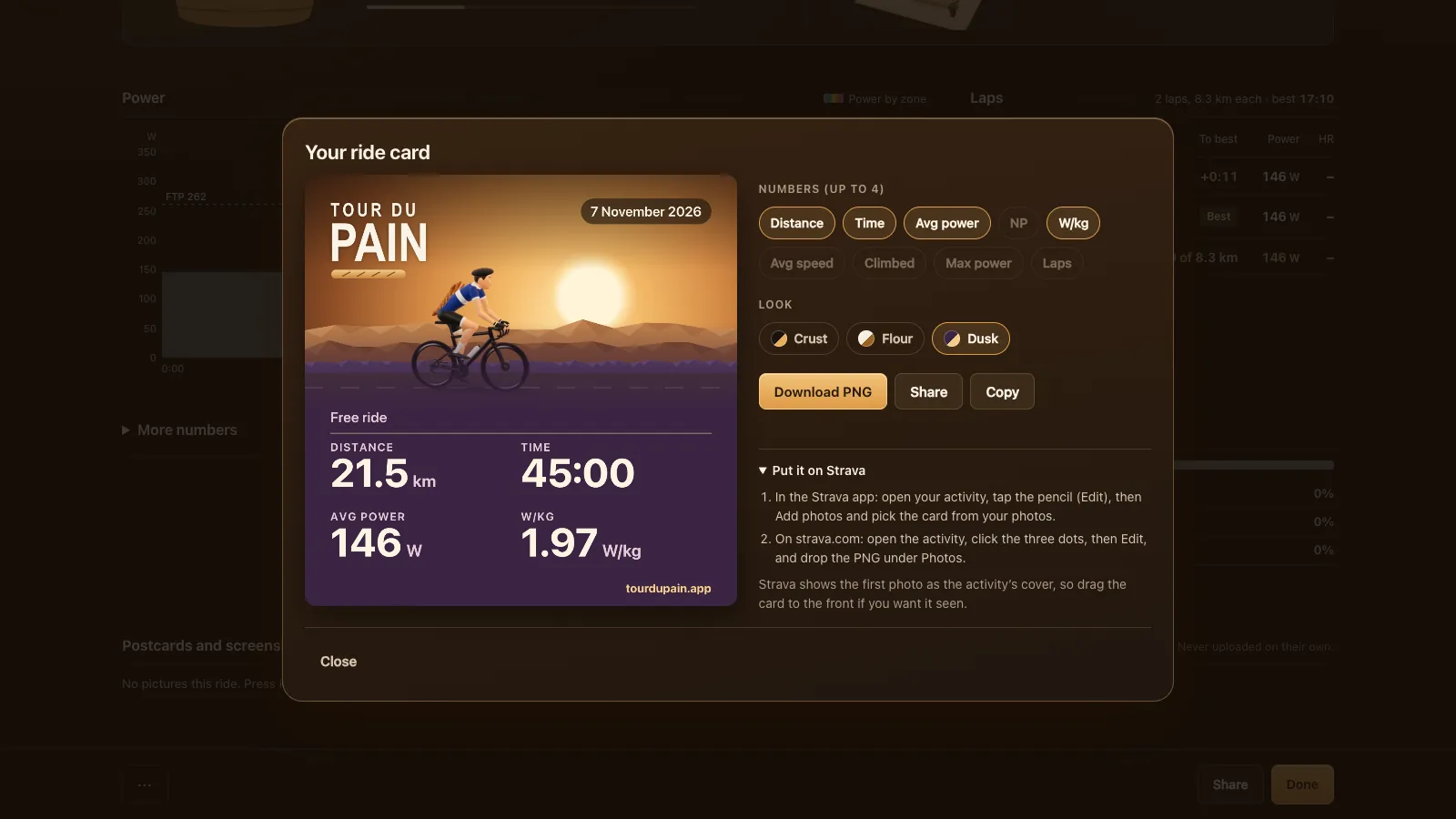
There's a short guide under the card for Strava. In the Strava app you open your activity, tap the three dots, then Edit Activity and Add Photos/Videos, and pick the card. On strava.com you open the activity, click the pencil and drop the PNG in the Media box. To have the card seen first, make it the highlight photo: in the app, long-press it and choose Set as Highlight Video or Photo (Strava's steps for adding photos).
Postcards with a Share button
Postcards are real frames of the 3D view, taken at the moment a baguette is handed over, with your numbers at that moment. A ride keeps up to six, spread over the whole ride, and you can take your own screenshots with P. They stay on your device and are never uploaded on their own.
On 4 November 1.30.0 gave each postcard a Share button, with a menu for the rest. The report around them changed too: the Strava box sits next to the time in zones, and in a workout the target shows as a clear line in the power chart.
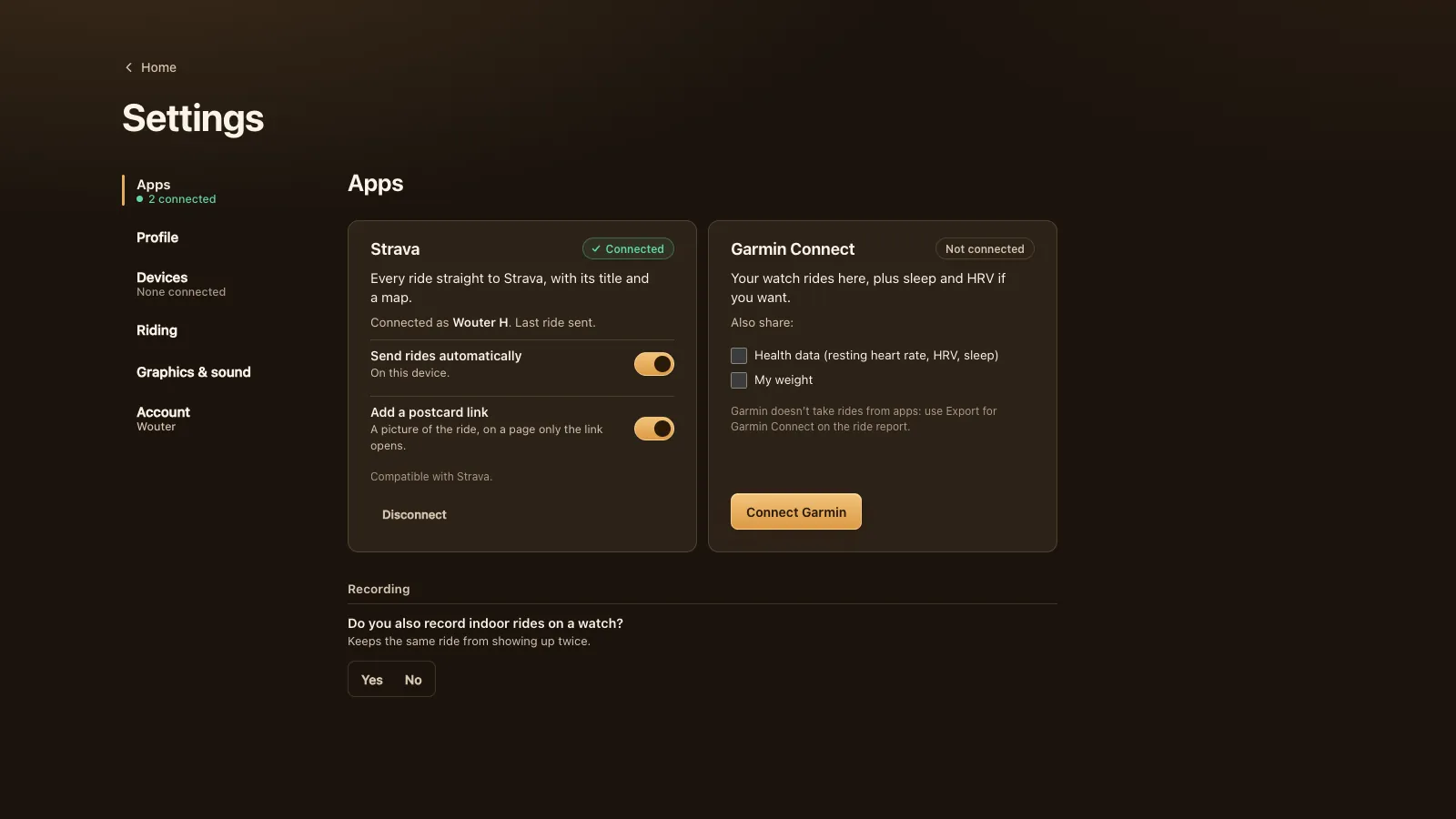
Strava, Garmin and the rest
In Settings, Apps you link Strava once, and every saved ride goes up on its own, with a postcard link if you want one. Garmin Connect doesn't take rides from apps directly, so the report has "Export for Garmin Connect": it downloads the .fit and opens Garmin's import page. The same .fit works for intervals.icu and any other tool. The guide to Strava, Garmin Connect and .fit files covers each one.
A good Col time makes a good card; the Col du Pain guide has the climb. And a card from a coffee ride says more than a solo one; see riding with friends and your club.